
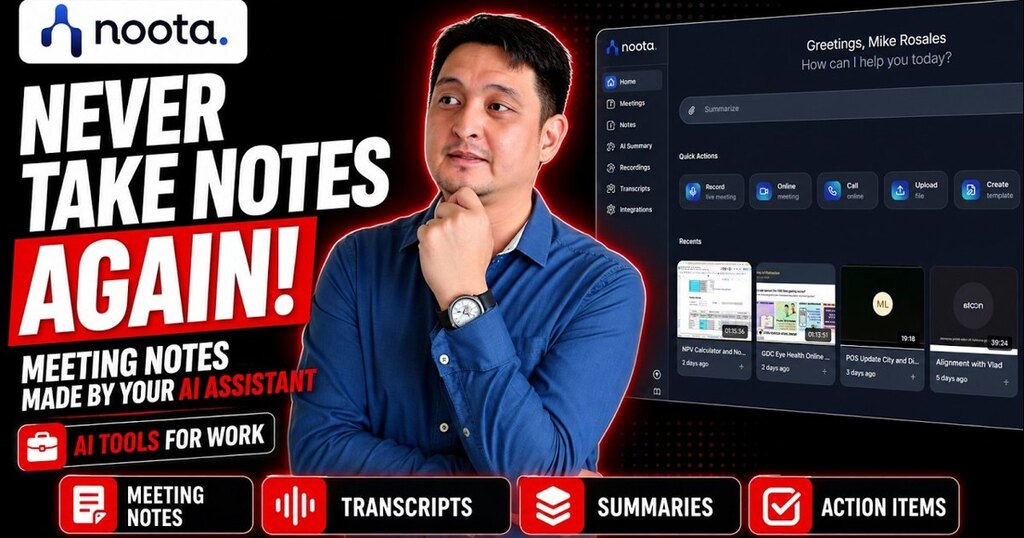
Noota AI Review: Automatic Meeting Notes, Summaries and Action Items
Disclosure: Some links in this article are affiliate links. If you buy through them, I may earn a commission at no extra cost to you.
Deal status: Noota was on AppSumo years ago, and as of October 13, 2026 that lifetime deal shows as sold out. Today Noota sells monthly and annual plans on its own site, including a free plan.
Taking notes during a meeting means you are only half in the meeting. Noota is an AI meeting assistant that joins your calls, records them, writes the transcript, and turns it into a summary with action items, so you can actually pay attention.
I put together a crash course on it for my AI Tools for Work series. Noota is one of the tools that was previously on AppSumo, and it has gone through several changes since then. Unlike a lot of platforms from that era that have shut down, Noota has grown its business, and it now targets teams in HR, recruiting, sales and consulting. This review is based on what I showed in the video, noota.io and its published pricing.
Video walkthrough
What Noota does
Noota records online and in-person meetings, transcribes them, and generates meeting notes automatically. Its assistant can join your scheduled calls on Google Meet, Microsoft Teams and Zoom on its own, or you can upload a recording and let the AI process it. You can use it in the browser, in the desktop apps for Windows and Mac, through the Chrome extension, or on the iOS and Android apps. On its landing page, Noota says it is compliant with frameworks such as ISO 27001 and HIPAA.
Key features
Meeting assistant settings. The first thing to configure is your meeting preferences. You choose whether the assistant joins automatically, the default language, and whether it records the shared screen or the gallery view. You can have it join right on time or a few minutes in, and set rules for all meetings or only external ones. You can also block capture when an event title contains words like "sensitive" or "confidential", or capture only when the title says something like "interview". You can give your assistant its own name and picture too.
Consent and privacy. You can show a recording-consent disclaimer when the assistant joins, and anonymize participants in transcripts and summaries.
Several ways to capture a meeting. Click the plus icon to start an online meeting, upload a meeting file to generate minutes, or do a live recording. For planned meetings, you can add Noota's assistant email address to the invite, or just paste a meeting link.
Meeting templates. Every meeting gets a template that shapes the notes, starting with a generic one. There are pre-made templates, and you can create your own with AI by describing it or uploading a file with your structure. Templates can also include automations and triggers, like generating clips or emails, plus guidelines for the AI.
AI agents. Noota has built-in AI agents you can explore, and you can create your own agent from a prompt.
Integrations. I connected mine to Outlook, and Noota also connects to ATS (applicant tracking systems) and CRMs. You can link Gmail or Outlook to send follow-up emails with your notes, push notes to Notion, OneNote or OneDrive, or use Zapier. You also choose whether notifications arrive by email or only inside Noota.
Phone and voicemail. You can link your phone number, request a dedicated number from the Noota team, and use the incoming voicemail feature.
Sharing. Meetings are private by default. You can download notes, share them privately, or create a public link.
Pricing
Noota lists these plans on its pricing page (checked October 13, 2026). Prices are per user per month, and the site lets you switch between EUR and USD. Annual billing is cheaper.
| Plan | Per user / month (monthly) | Per user / month (billed annually) | What you get |
|---|---|---|---|
| Noota 360 Free | 0 | 0 | 300 transcription minutes a month, 1 month storage, up to 3 seats, custom summaries, Chrome extension, iOS and Android apps |
| Noota 360 Pro | 29 | 19 | 1,000 minutes a month, 12 months storage, team workspace up to 10 seats, email automation, business phone calls, unlimited integrations |
| Noota 360 Business | 49 | 39 | Unlimited recording, unlimited seats, unlimited AI features, Zapier and API, analytics, unlimited storage |
| Noota Talent (Hiring Agent) | 299 | 199 | Recruiting: 500 AI-sourced candidates, 500 agent interviews, email and LinkedIn AI outreach, ATS plugin, AI candidate reports |
| Enterprise | Custom | Custom | For 50+ licences: unlimited usage, invoice payment, custom integrations, custom DPA, dedicated support |
The free plan is a real way to try it: 300 transcription minutes a month is enough for a handful of meetings. For a small team, Pro is the obvious step up.
Pros and cons
Pros
- Joins scheduled meetings on its own once your calendar is connected, so there is nothing to remember.
- Detailed control over which meetings get recorded, including rules based on keywords in the event title.
- Consent disclaimers and participant anonymization are built in.
- Customizable meeting templates, which you can build with AI.
- Wide integrations: email, Notion, OneNote, OneDrive, ATS, CRM and Zapier.
- Web, desktop, mobile and Chrome extension apps, plus a free plan.
Cons
- The AppSumo lifetime deal is sold out, so it's a subscription now.
- The free plan only keeps your data for 1 month.
- Zapier and API access need the Business plan.
- There are a lot of settings, so expect to spend some time on setup before your first meeting.
Who it's for, and who it isn't
Good fit if you:
- Are a manager, team lead, consultant, executive, salesperson, freelancer or remote worker who spends a lot of the day in meetings.
- Work in HR or recruiting and want meeting notes to flow into your ATS. Noota also has a dedicated hiring product.
- Want follow-up emails and action items prepared for you after each call.
Probably not for you if you:
- Only have a meeting or two a month. The free plan may be all you need.
- Are hunting for a one-time lifetime deal.
FAQ
Is there a free version of Noota? Yes. Noota 360 Free costs nothing and includes 300 transcription minutes a month, 1 month of storage, custom summaries, the Chrome extension and the mobile apps.
Which meeting platforms does Noota work with? Noota lists Google Meet, Microsoft Teams and Zoom. You can also upload recordings or record in-person meetings.
Is the Noota AppSumo deal still available? No. The AppSumo listing shows as sold out as of October 13, 2026.
Can Noota send my meeting notes automatically? Yes. Connect Gmail or Outlook to send follow-up emails, or push your notes to Notion, OneNote, OneDrive or Zapier.
Verdict
If you are tired of writing meeting notes by hand, Noota is worth a try. It is set-and-forget once your calendar is connected, the templates make the summaries useful instead of generic, and the integrations put the notes where your team already works. Start on the free plan, run a week of meetings through it, and upgrade to Pro if it saves you the time it saved me.
Stay up to date with our latest news

PresEngage Review: Is the AppSumo Lifetime Deal Worth It?
PresEngage review: an AI co-presenter that answers live audience questions from your slides in 100+ languages. The AppSumo lifetime deal starts at $69.