
PresEngage Review: Is the AppSumo Lifetime Deal Worth It?
Disclosure: Some links in this article are affiliate links. If you buy through them, I may earn a commission at no extra cost to you.
Deal status: As of October 14, 2026, the PresEngage lifetime deal is live on AppSumo, starting at $69 for License Tier 1. AppSumo shows no end date for the deal. Please check the current status on AppSumo before you buy.
Check the PresEngage deal on AppSumo
Most presentations end with a rushed Q&A. Only a few people raise their hands, and the rest leave with their questions unasked. PresEngage tries to fix that. You upload your deck, and it builds an AI co-presenter that answers audience questions from your slides, live and in the attendee's own language. It keeps answering after you finish.
AppSumo lists it under webinars and virtual events, as an alternative to ON24, and says it is best for sales managers and coaches. This review is based on presengage.com, its published pricing and the AppSumo listing. In our own test, it felt like the solution we'd been waiting for: PresEngage answered questions about the slides we uploaded, straight from the deck.
Key features
An AI co-presenter built from your deck. You upload your presentation as a PDF. Anything that exports to PDF works, including PowerPoint, Keynote, Google Slides and Canva. You can also add notes, documents and selected web pages. AppSumo says every slide is analysed visually as well as by its text, so the AI can answer questions about charts, diagrams and pricing tables.
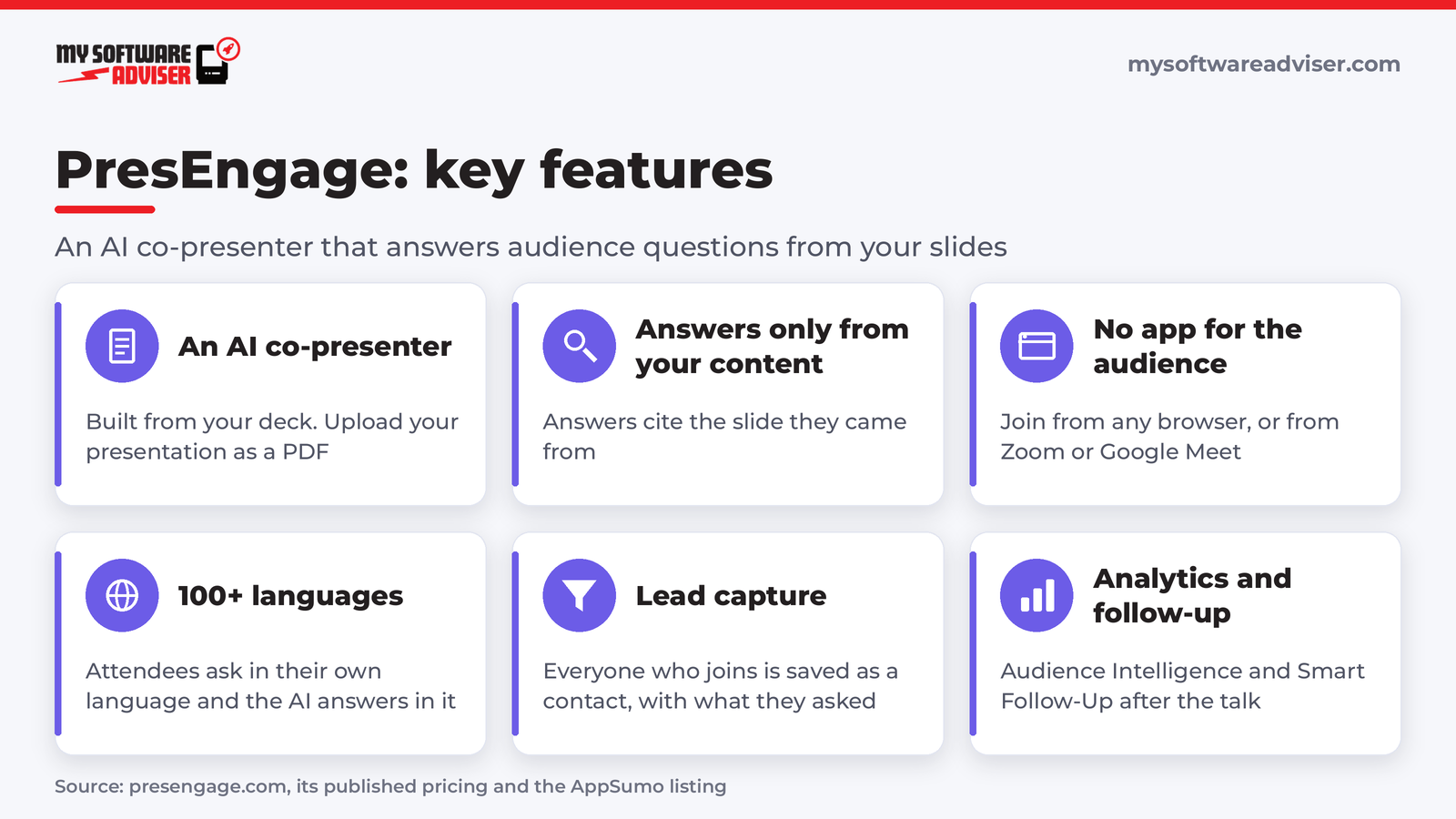
Answers only from your content. PresEngage says it never searches the internet. Answers cite the slide they came from. If your material doesn't cover a question, it tells the attendee so and flags the question for you in the Messaging Center. You can set the AI's personality and style, and run a private Test Q&A before you go live.
No app for the audience. Attendees join from any browser through a direct link, or through the PresEngage side panel in Zoom or Google Meet. They need no app or account; they join with a name and email or with Google sign-in. On the web, attendees can't see each other's questions. It doesn't work inside Microsoft Teams yet, but you can paste the link into the Teams chat.
100+ languages. Attendees can ask in their own language, and the AI answers in that language.
Lead capture. Everyone who joins is saved as a contact, along with what they asked. A Smart Prompt nudges quiet attendees after a set time, and you can add calls to action, such as booking a demo. A participant list can be downloaded as a CSV from the Messaging Center (added October 11, according to the founder's AppSumo update).
Analytics and follow-up. Audience Intelligence tracks themes, top questions and sentiment, and gives you an AI summary of where your message didn't land. Smart Follow-Up sends personalised follow-ups to participants after the talk.
Integrations and branding. You can connect your CRM, Slack or marketing tools through Zapier or your own API key. Both lifetime tiers include white-label branding (your logo, name and colours). Privacy and terms links, go.presengage.com short links and the follow-up email sender ("Your Name via PresEngage") stay PresEngage's.
Video walkthrough
Pros and cons
Pros
- Unlimited presentations and unlimited audience on both tiers, with no per-attendee pricing for web, Zoom and Meet audiences.
- Answers come only from your material and cite the source slide.
- Attendees need no app or account.
- Every question becomes a contact you can follow up with.
- The presentation keeps answering questions after the talk.
- A free plan and a 14-day trial let you test it before buying.
Cons
- SMS and WhatsApp Q&A aren't part of the lifetime deal.
- No Microsoft Teams side panel yet.
- QR codes, Digital Wallet passes and a custom domain need Tier 2.
- Presentations that sit idle for about a month are archived and later deleted (PresEngage emails you first).
- Each account is for one person, so a team can't share a login.
- The deal is new, with only one AppSumo review so far.
Who it's for, and who it isn't
Good fit if you:
- Give sales demos, webinars, workshops or conference talks and want more questions from the audience.
- Want leads from every talk, pushed into your CRM.
- Present to mixed-language audiences.
- Present for clients. PresEngage says you can do this from your own account.
Probably not for you if you:
- Rarely present. The free plan may be enough.
- Present mainly in Microsoft Teams and want a native panel.
- Need text or WhatsApp Q&A in the room, which is pay-as-you-go on monthly plans only.
- Need one account shared across a team.
Pricing and the AppSumo deal
PresEngage's regular pricing (presengage.com/pricing):
- Free: your first talk at any size, then 25 audience connections in total (a lifetime total, not monthly). Every account starts with a 14-day trial of every presenter tool, with no credit card.
- Present Online: $29/month or $290/year. Google Meet and Zoom side panels, web Q&A, unlimited audience and white-label branding.
- Present In-Person: $29/month or $290/year. QR code sharing, Digital Wallet passes and an SMS/WhatsApp add-on at $0.50 per member.
- Present Everywhere: $49/month or $490/year. Both channel sets, a custom domain (ask.yourcompany.com) and the add-on at $0.35 per member.
The AppSumo lifetime deal is a one-time payment.
| AppSumo tier | Price (was) | Online (link, Zoom, Meet) | QR code + Audience Connect slide | Digital Wallet | Custom domain | SMS/WhatsApp |
|---|---|---|---|---|---|---|
| Tier 1 | $69 ($360) | Yes | No | No | No | No |
| Tier 2 | $139 ($600) | Yes | Yes | Yes | Yes | No |
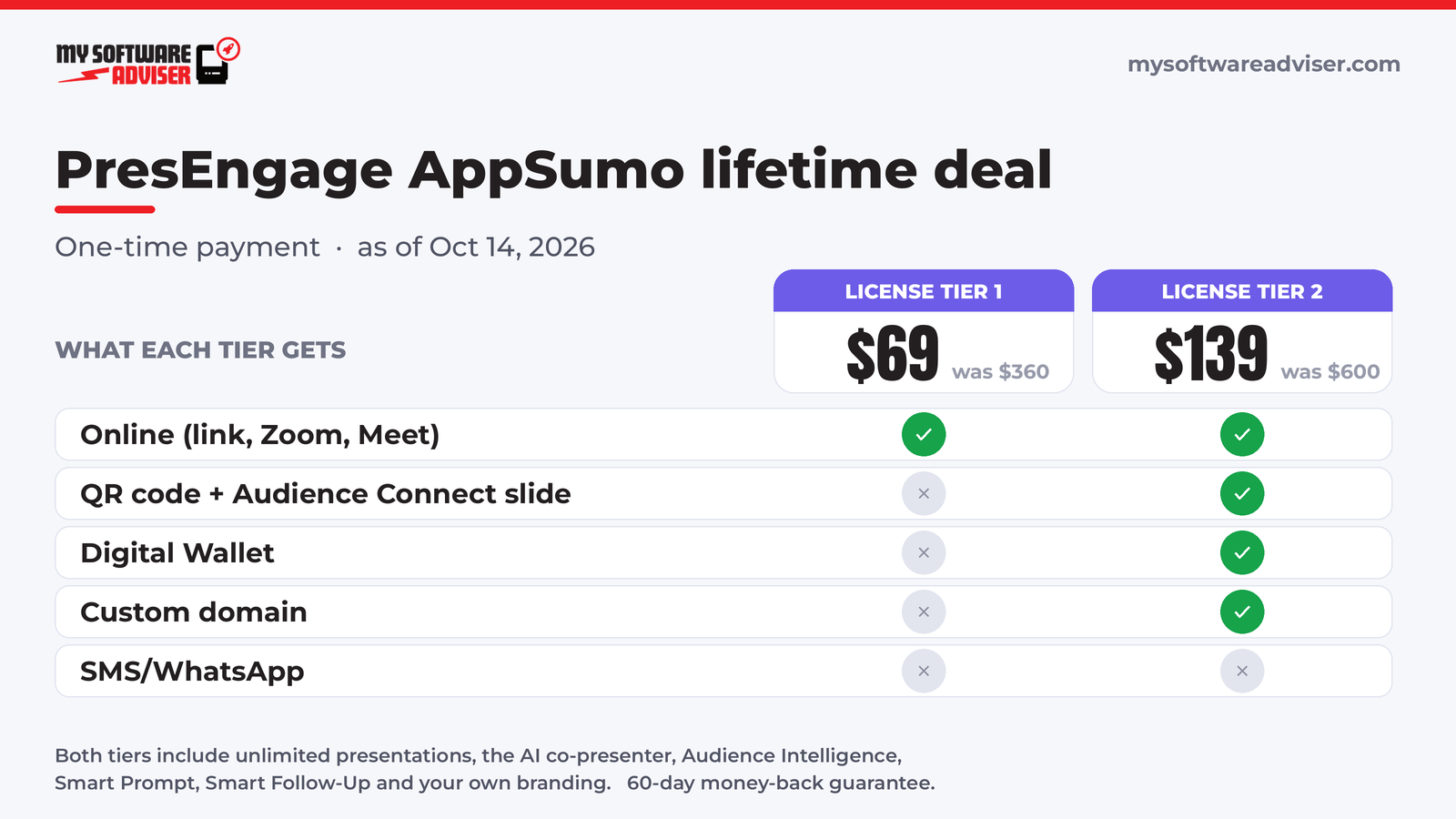
Both tiers include unlimited presentations, the AI co-presenter, Audience Intelligence, Smart Prompt, Smart Follow-Up and your own branding.
Deal terms listed on AppSumo:
- 60-day money-back guarantee.
- Activate your license within 60 days of purchase.
- Upgrade while the deal is live; downgrade only within 60 days of purchase.
- Codes don't stack.
- If the plan name linked to your deal changes, your license moves to the new plan with all updates.
Which tier fits? On the published features, Tier 1 suits people who present online. Tier 2 suits anyone who also presents in a room or wants their own domain. At regular prices, Tier 1 costs about what 2.4 months of Present Online costs, and Tier 2 about 2.8 months of Present Everywhere.
Check the PresEngage deal on AppSumo
FAQ
Is there a free version of PresEngage? Yes. Your first talk is free at any size, and after that you get 25 audience connections in total. New accounts also get a 14-day trial of every presenter tool.
Does it work with PowerPoint or Canva? Yes, through PDF. Export your deck from PowerPoint, Keynote, Google Slides or Canva and upload the PDF.
Does PresEngage listen to my talk? No. It works from what you upload. You can add a transcript from your meeting tool as a PDF or Word file.
Is my content used to train AI models? PresEngage says no.
Can I stack codes? No. AppSumo's FAQ says codes don't stack.
What if it doesn't work for me? AppSumo lists a 60-day money-back guarantee.
Verdict
PresEngage takes a different angle from polling tools: it turns your deck into something the audience can question, during and after the talk, and it captures who asked what. The lifetime price is a little over two months of the matching monthly plan, and the free plan lets you test it first.
Our recommendation, based on the published features and limits: if you present online regularly and want leads from your talks, Tier 1 is a reasonable buy. Choose Tier 2 if you also speak in rooms or want a custom domain. Skip it if you live in Microsoft Teams or need text-message Q&A. Our verdict: at lifetime pricing, PresEngage is a must-try.
Stay up to date with our latest news

PresEngage Review: Is the AppSumo Lifetime Deal Worth It?
PresEngage review: an AI co-presenter that answers live audience questions from your slides in 100+ languages. The AppSumo lifetime deal starts at $69.