
Sheetify CRM Review: Is the AppSumo Lifetime Deal Worth It?
Disclosure: Some links in this article are affiliate links. If you buy through them, I may earn a commission at no extra cost to you.
Deal status: As of October 28, 2026, the Sheetify CRM lifetime deal is live on AppSumo, starting at $39 for License Tier 1 (was $100). A higher tier, License Tier 2, is $99 (was $280). The AppSumo page shows no end date for the deal. Please check the current status on AppSumo before you buy.
Check the Sheetify CRM deal on AppSumo
Plenty of small businesses already keep their customer list in a spreadsheet, and the spreadsheet mostly just sits there. Sheetify CRM takes the opposite approach: instead of moving you to a separate CRM app, it adds a sales pipeline, tasks and Gmail campaigns to Google Sheets, which you already use.
AppSumo lists it as an alternative to HubSpot, Pipedrive and Zoho CRM, and as best for freelancers, real estate and small businesses. It comes from a small bootstrapped team based in New Zealand, founded in December 2024. This review is based on sheetifycrm.com, its published pricing, the AppSumo listing and the founders' video. We have not tested it ourselves, so nothing here describes hands-on use.
Key features
Contacts and leads. You store contacts and leads with type, source and date added. A Gmail import pulls contacts in from your account, so you don't have to type them all by hand.
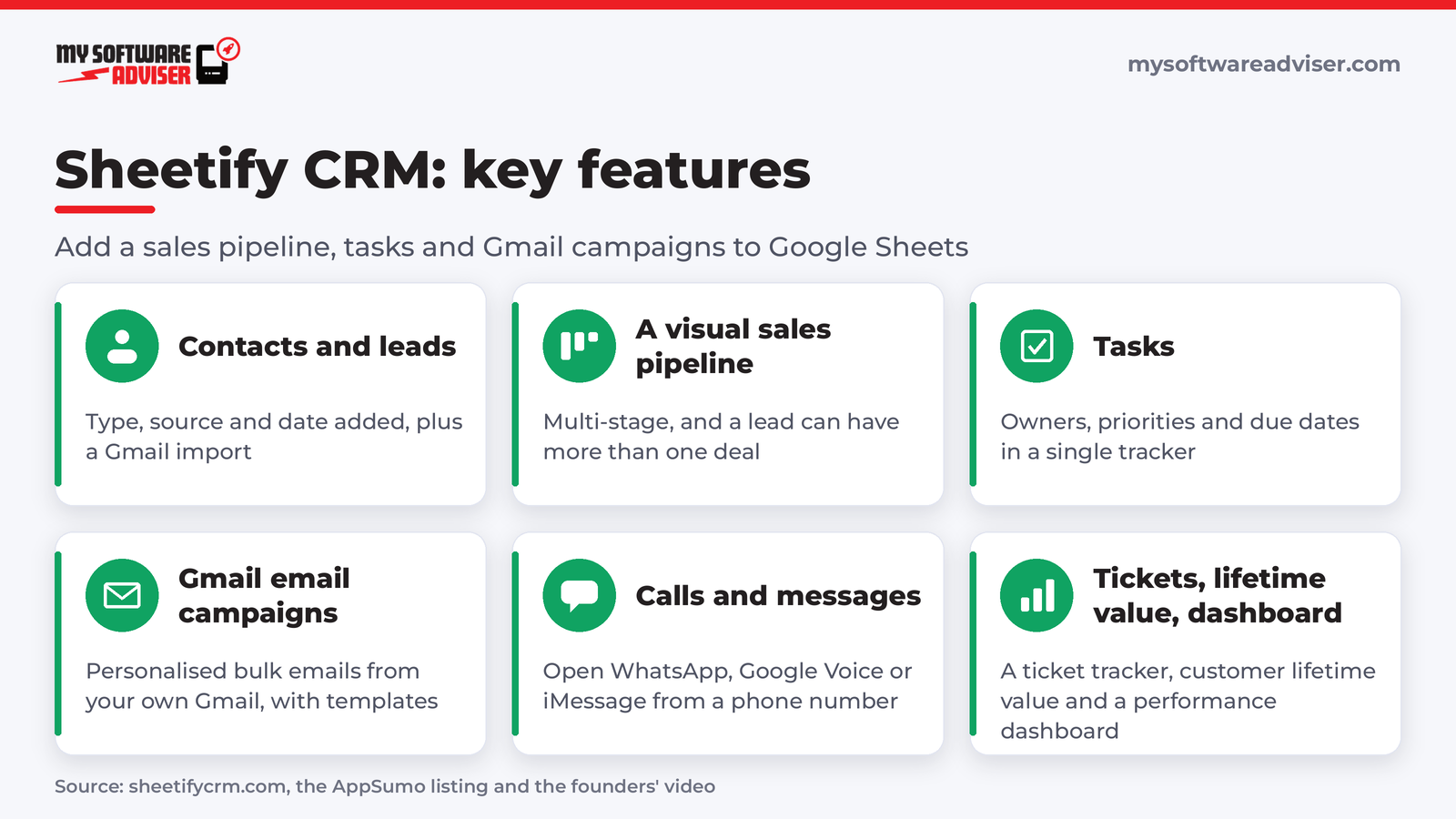
A visual sales pipeline. Deals move through a multi-stage pipeline, and a lead can have more than one deal. You can tie each deal to items from your inventory to see what a lead is buying. For every stage, you can see the total deals, their value and the average deal size, and compare won and lost deals.
Tasks. Sales and client tasks have owners, priorities and due dates in a single tracker, with colour-coded status labels and email notifications when a status changes. Sheetify says the tasks also connect to the Google Tasks app and Google Calendar.
Gmail email campaigns. You send personalised bulk emails from your own Gmail account, using ready-made templates (proposals, follow-ups, discovery calls and event invites) and merge fields for names and companies. Sheetify is upfront about sending limits: a free Gmail account can send roughly 50 to 150 emails a day, and Google Workspace up to 500. For deliverability, it suggests staying around 100 to 250 per sender per day.
Calls and messages. A built-in Apps Script feature makes phone numbers in the Contacts & Leads sheet clickable, so you can open WhatsApp, Google Voice or iMessage. You need to be signed in to the account you pick. An Interactions sheet logs calls and messages.
Support tickets, customer lifetime value and dashboard. A ticket tracker handles support requests. Customer lifetime value is tracked per customer, and a performance dashboard refreshes key sales metrics automatically.
Lead capture. Sheetify's own site says new leads can be captured with Google Forms.
The extra toolkits (Tier 2). Sheetify sells two more toolkits, Bookkeeping and Projects. On its own site, Bookkeeping covers income, expenses, invoice and quote generators, tax and reporting. Projects covers tasks, timeline and Kanban views, and progress tracking. A free Google Workspace add-on called Sheetify Flow connects the templates so data can move between them.
Video walkthrough
In the video, the founder says the toolkits are built with Google Sheets and Apps Script, with no subscription, lifetime access and lifetime updates, and that the range covers a CRM, project management and bookkeeping. It is a short founder introduction rather than a product demo. The AppSumo page also links separate tutorial and overview videos for each toolkit.
Pros and cons
Pros
- It lives in Google Sheets, so there is no new app to learn and you keep your data in your own Google account.
- Contacts, a multi-deal pipeline, tasks, tickets and Gmail campaigns in a single file.
- Tier 1 costs $39 once. Sheetify's own site lists the CRM at $67 as a one-time price.
- The founder documents the Gmail sending limits openly.
- Tier 2 adds the Bookkeeping and Projects toolkits for $99.
- AppSumo's 60-day refund window applies.
Cons
- No AppSumo reviews yet, so there is no buyer feedback on the AppSumo page to lean on.
- Gmail campaigns are bound by Google's daily sending limits.
- Some fields that power the automations are locked, and deeper changes (such as renaming core sheets or changing automation logic) need Google Apps Script knowledge or developer services.
- Setup means copying the template into your Drive and authorising the Sheetify script. The Sheetify Flow add-on asks for permission to see, edit, create and delete your Google Sheets files.
- Sheetify says the CRM is only fully translated into Spanish so far.
- The founder says it is not a white-label offer.
- On October 22, 2026, the founder posted that some accounts had trouble activating inside AppSumo, and offered to give access by email in the meantime.
- It is a young product: the company was founded in December 2024.
Who it's for, and who it isn't
Good fit if you:
- Are a freelancer, consultant, real estate agent or small agency that already works in Google Workspace.
- Want pipeline, tasks and email outreach without paying a monthly CRM fee.
- Are comfortable working in a spreadsheet interface.
Probably not for you if you:
- Want a polished stand-alone CRM app with a long list of third-party integrations. AppSumo lists Gmail, Google Sheets and Google Workspace as the integrations.
- Plan to send large email campaigns. Gmail's limits apply.
- Don't use Google Sheets or Gmail.
- Need a white-label tool.
Pricing and the AppSumo deal
Sheetify's own pricing (sheetifycrm.com), as we saw it on October 28, 2026: one-time prices of $67 for Sheetify CRM (regular price $97), $57 for Sheetify Bookkeeping and $57 for Sheetify Projects, with lifetime updates and no subscription. Sheetify also says you can pick two or three toolkits and save 20 to 30%.
The AppSumo lifetime deal, as shown on October 28, 2026, is a one-time payment. The page shows no end date.
| AppSumo tier | Price (was) | What's included |
|---|---|---|
| License Tier 1 | $39 ($100) | Sheetify CRM |
| License Tier 2 | $99 ($280) | Sheetify CRM, Sheetify Bookkeeping and Sheetify Projects |
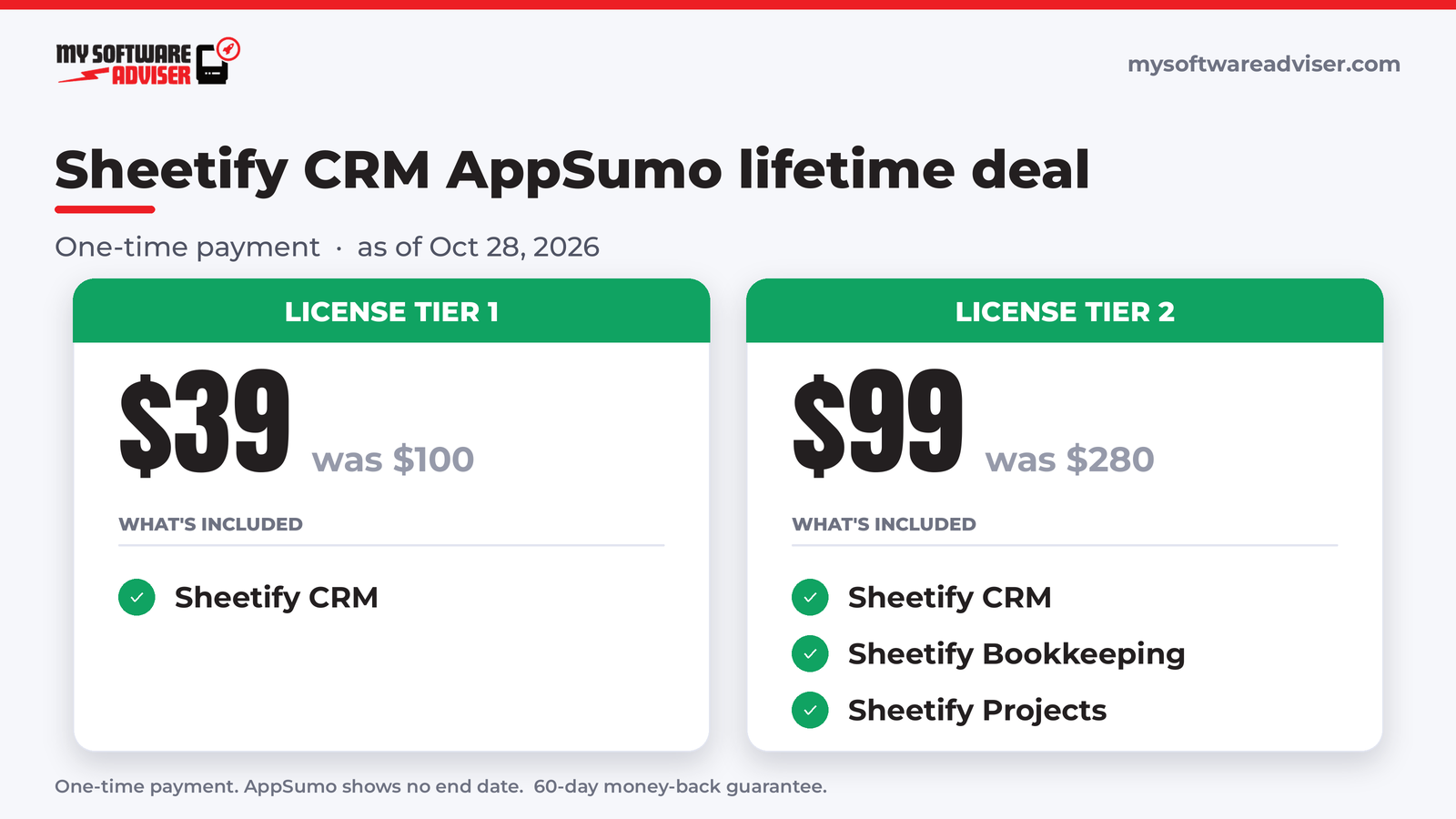
At Sheetify's own listed prices, the three toolkits add up to $181 ($67 + $57 + $57), so Tier 2 is lower than buying them separately there. Check both prices before you buy, since they can change.
Deal terms listed on AppSumo:
- Lifetime access, plus all future updates to the Sheetify CRM plan (Tier 1) or to the Sheetify CRM, Bookkeeping and Projects plans (Tier 2).
- 60-day money-back guarantee.
- Activate your license within 60 days of purchase.
- You can upgrade while the deal is live, but you can only downgrade within 60 days of purchase.
- If the plan name linked to your deal changes, your license moves to the new plan with all updates.
- Access to future AI models may be provided at a discounted rate, or may need an add-on.
Which tier fits? If you only need a CRM, Tier 1 is the simple choice. If you also want bookkeeping and project tracking in the same style, Tier 2 covers all three. The AppSumo page does not break its feature list down further by tier, beyond which toolkits each includes, so confirm the details with Sheetify if one specific feature decides it for you.
Check the Sheetify CRM deal on AppSumo
FAQ
What is Sheetify CRM? It is a CRM built inside Google Sheets with Apps Script. It covers contacts and leads, a visual sales pipeline, tasks, inventory and invoice tracking, customer lifetime value, a dashboard and Gmail email marketing.
How do I set it up? Per Sheetify, you copy the Google Sheets template to your Drive, then click Sheetify > Set Up Sheetify and grant the authorisations.
Can I customise it? Yes, to a degree. You can change date formats, move or add sheets, insert columns and edit many dropdowns and labels in the Settings sheet. Some fields are locked, and advanced edits need Apps Script knowledge or developer services.
Are there limits on email campaigns? Yes. They come from Google, not Sheetify. Free Gmail has a daily cap, and Workspace allows up to 500 emails a day. Sheetify recommends staying within about 100 to 250 per sender per day.
Can my team use it? Sheetify's site says up to 100 users and 40,000 contacts, based on Google's requirements. On AppSumo, the founder said you can comfortably add up to 15 users on one toolkit, and you can also give team members their own copy.
What if it doesn't work for me? AppSumo lists a 60-day money-back guarantee.
Verdict
Sheetify CRM is a practical idea: if your customers already live in a spreadsheet, it adds the parts of a CRM you'd otherwise build by hand, namely a pipeline, tasks and email outreach. The price is small for a lifetime license. The trade-offs are the spreadsheet format, Gmail's sending limits, and the fact that the AppSumo page has no reviews yet.
Our view, based on the listing, Sheetify's own site and the founders' video: Tier 1 is a reasonable low-cost try for a freelancer or small business that works in Google Workspace and wants a simple CRM. Tier 2 makes sense if you would also use the bookkeeping and project toolkits. If you need a polished app, heavy email volume or white-label branding, look elsewhere. As with any lifetime deal, the 60-day refund window is your safety net, so test it with your own data early.
Stay up to date with our latest news

PresEngage Review: Is the AppSumo Lifetime Deal Worth It?
PresEngage review: an AI co-presenter that answers live audience questions from your slides in 100+ languages. The AppSumo lifetime deal starts at $69.