
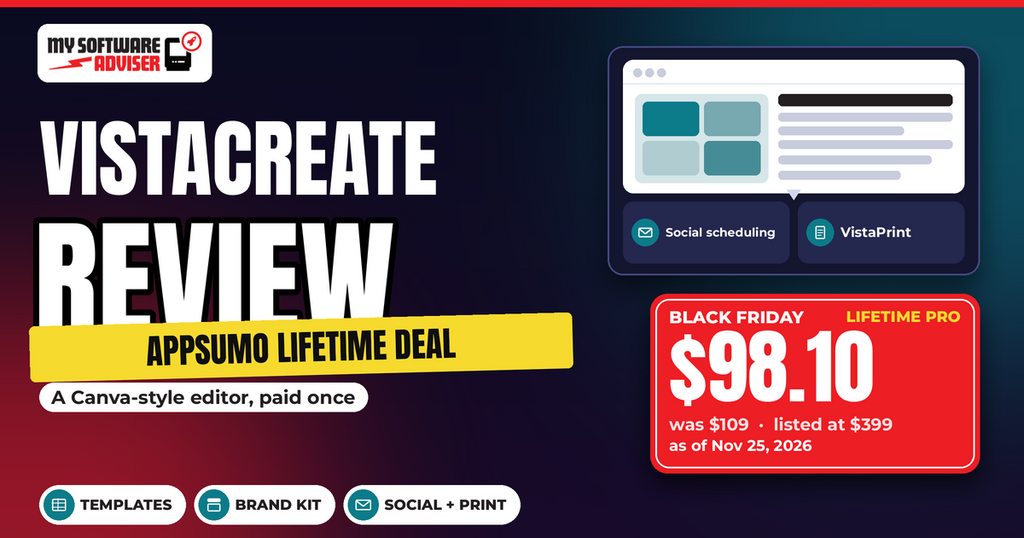
VistaCreate Review: Is the AppSumo Lifetime Deal Worth It?
Disclosure: Some links in this article are affiliate links. If you buy through them, I may earn a commission at no extra cost to you.
Deal status: As of November 25, 2026, the VistaCreate lifetime deal is live on AppSumo as a single plan at $109 (listed at $399), shown as $98.10 with AppSumo's Black Friday 10% off. The listing shows the deal ending on December 1, 2026 at 12:00 PM US Central Time (2:00 AM on December 2, Manila time), after which the next stage is inactive. Prices and availability can change, so please check the current deal before you buy.
Check the VistaCreate deal on AppSumo
Small businesses need a steady stream of graphics: social posts, ads, product shots and the occasional flyer. Paying a designer for every asset is expensive, and a monthly design subscription adds up if you only need the tools some of the time.
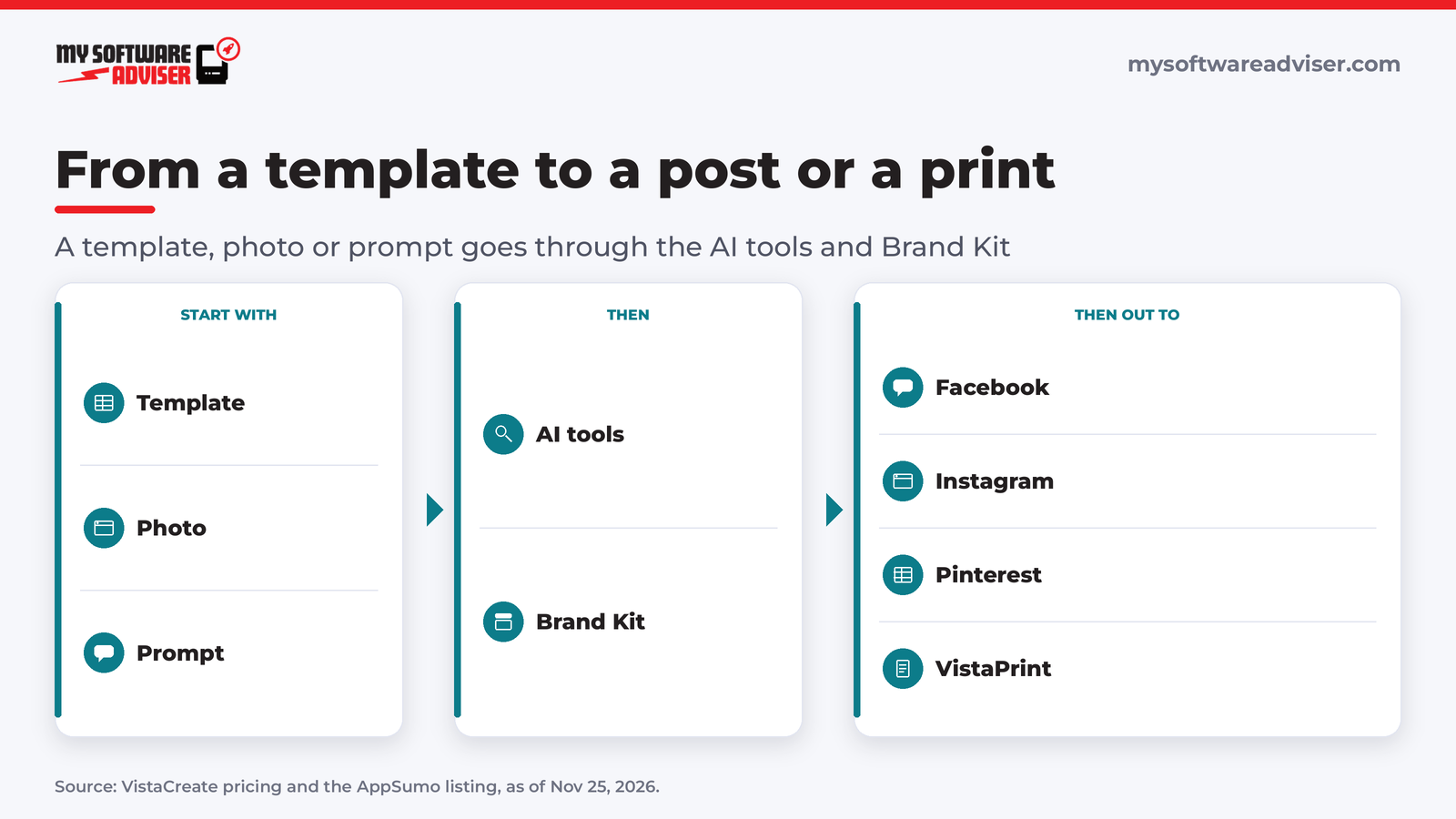
VistaCreate is an online design tool for that job. You start from a template, a photo or a plain-word prompt, edit in the browser or on mobile, and (on the paid plan) use AI tools to generate, clean up and review designs. You can schedule posts to Facebook, Instagram and Pinterest, and send selected designs to VistaPrint for physical prints. AppSumo lists it under Design Tools, as best for content creators, marketers and small businesses, and as an alternative to Canva.
The AppSumo listing is from Vista, shown as Massachusetts, USA, founded January 1, 2016, with a team of 51–200 people and an acquisition/merger flag. The vendor's own FAQ on that listing says VistaCreate launched in 2016, is part of the VistaPrint family, and is a remote-first company with hubs in Ukraine, Cyprus and Spain. Alina Volchek, General Manager at DepositPhotos and VistaCreate, is the listed contact. This review is based on create.vista.com, VistaCreate's published pricing and help center, the live AppSumo listing, a December 2024 walkthrough video, and my own experience as a VistaCreate user.
Our short take: on the published prices, $98.10 for lifetime access to VistaCreate Pro is less than one year of the regular Pro plan ($120 when billed annually). There is only one AppSumo plan, it is not stackable, and a few details on the listing do not match the vendor's current docs. Read those notes before you buy.
I use VistaCreate — it used to be called Crello — and I have several accounts from lifetime deals it launched in the past.
Key features
Templates, stock and a brand kit. VistaCreate's official pricing page and help center, checked on November 25, 2026, say free Starter includes 100K+ templates, 1M+ photos, videos and vectors, one Brand Kit and 10 GB of storage. Pro, which the AppSumo deal maps to, is listed as 200K+ templates, 170M+ stock assets, unlimited Brand Kits and unlimited storage. You can save logos, colors and fonts in a Brand Kit. The help center also lists a Logomaker on Starter. The AppSumo plan feature list still says "70M+" stock assets and "1000s of premium design templates"; see the note below.
AI design and image tools (Pro). Official Pro documentation lists Design Assistant, Design Generator, Design Improver, AI Image Generator, AI Edit, AI Writer, AI Object Remover and Background Remover. The pricing page also names Image Enhancer, BG Changer, Object Grabber and Sticker Maker. AppSumo's quick bite says Design Assistant turns a plain-word prompt into design directions you can refine in a chat, and that Design Improver flags contrast, alignment and typography fixes. The help center describes Design Improver as suggesting improvements to composition, balance and visual hierarchy. A vendor reply on the AppSumo Q&A, and the official Pro help article, both say the AI Image Generator includes 100 uses per month. The same reply said Design Assistant and Design Improver have no fixed usage limits, although fair-use restrictions may apply.
Resize, HD download and version history. These are Pro features on the official comparison: One-click Resizer, HD downloads and version history. Starter can download in formats the help center lists as PDF, JPG, PNG, MP4 and GIF, but HD download is a Pro extra.
Social scheduling. VistaCreate's help center says you can publish or schedule designs to Facebook pages and groups, Instagram business accounts and Pinterest boards, from the editor and a Post Planner, on Starter as well as Pro, and only to business accounts. A vendor reply on the AppSumo questions page on November 23, 2026 said batch creation of social posts is not supported. AppSumo's feature table matches those three networks. The listing's "Works with" tags also name LinkedIn and API; see the note below.
Print via VistaPrint. The AppSumo listing and the official Pro help article both say you can send designs from the editor to VistaPrint to order items such as postcards, flyers, business cards, stickers and banners.
Teams and devices. Pro includes a Team Account for up to 10 members under one subscription. Official help says only the team owner needs Pro, each Pro account can create one team, team features are web-only (not in the mobile app), collaboration is not simultaneous, and team projects cannot be moved to a personal account. VistaCreate also has iOS and Android apps, and the vendor FAQ says projects sync with the browser editor.
Video walkthrough
Video: a December 2024 VistaCreate walkthrough from the LearnWire YouTube channel. It covers an earlier deal, so treat the feature set and pricing in the video as historical and rely on the current AppSumo listing and VistaCreate docs for what you get today.
What buyers should know
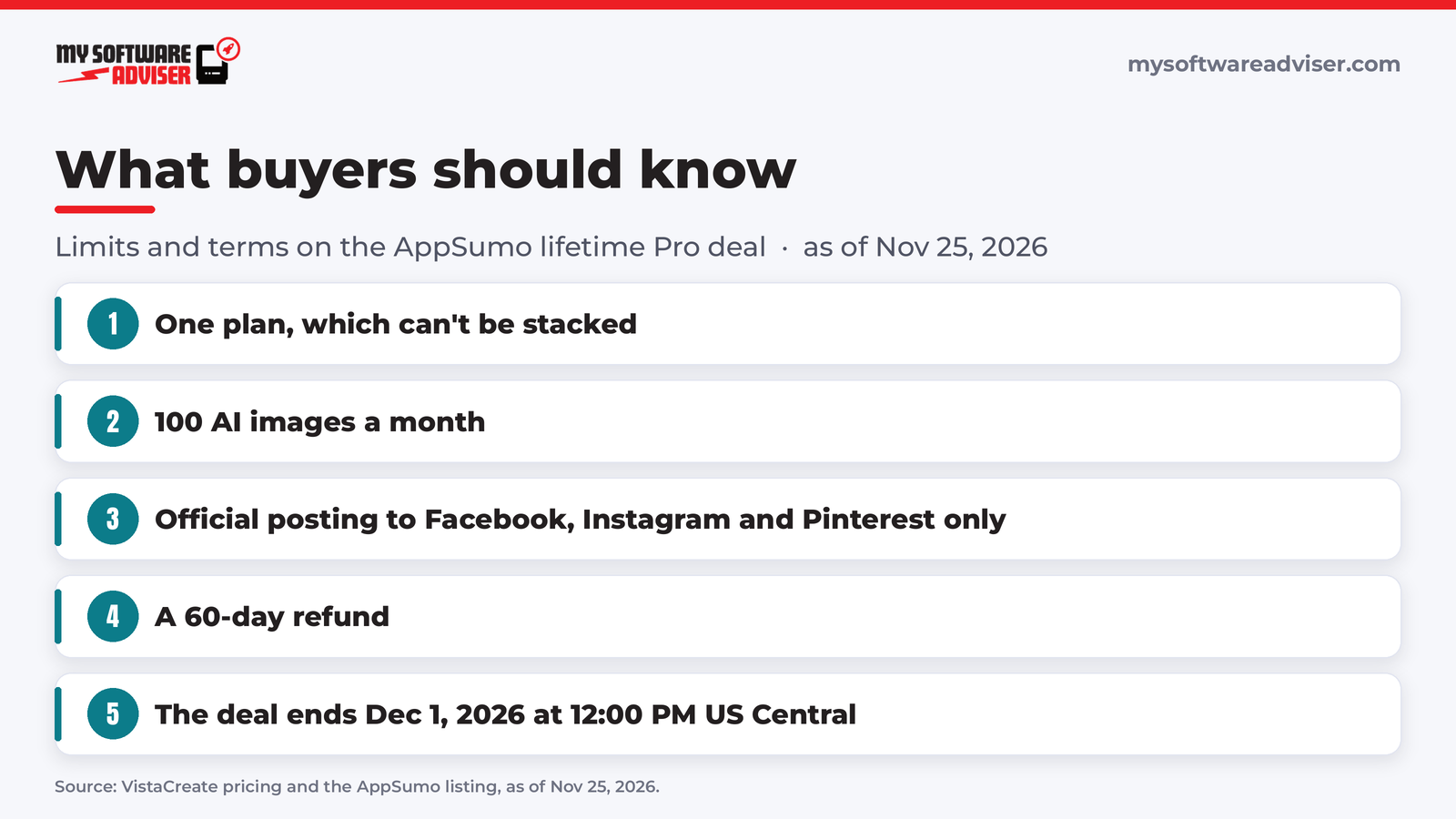
The deal is a single, non-stackable plan mapped to VistaCreate Pro, including all future Pro plan updates. If the plan name changes, AppSumo's terms say the deal moves to the new name with its updates. It is open to new and existing VistaCreate users. You must redeem your code within 60 days of purchase, and AppSumo lists a 60-day money-back guarantee.
If you already pay for a VistaCreate Pro subscription, confirm with VistaCreate support how the lifetime code is applied before you cancel current billing.
Two listing details are easy to misread. VistaCreate's pricing page, help center and the marketing copy on the AppSumo page all say Pro includes 170M+ photos, videos and vectors. The AppSumo plan feature list still says 70M+, and "1000s" of premium templates rather than the official 200K+. Treat the vendor site as the current figure. AppSumo's "Works with" tags also list API, Facebook, LinkedIn and Pinterest, but official help and the AppSumo feature table describe scheduling and posting to Facebook, Instagram and Pinterest only. I could not find official documentation for LinkedIn posting. VistaCreate does document a separate Design API Suite for developers who want to embed design tools in their own apps; that looks like a different product. A previous VistaCreate lifetime deal did not include API access. If you need API access, confirm with the vendor whether any is included in this deal before you buy.
On AppSumo, VistaCreate has a rating of 4.42 from 370 reviews (the listing displays this as 4.4) and 16,002 purchases, as of November 25, 2026. The taco breakdown is 279 five-taco, 33 four, 19 three, 14 two and 25 one. AppSumo's review summary praises a user-friendly interface, an extensive template library and the ability to create professional-looking designs quickly, and notes that some users may encounter minor issues. The 60-day refund window is the time to test the editor, AI limits and social posting against your own workflow.
Pros and cons
Pros
- A one-time Black Friday price of $98.10 (or $109 without the extra 10% off) for lifetime VistaCreate Pro, which is less than the regular Pro plan at $120 a year, plus all future Pro updates.
- A free Starter plan and a 14-day Pro trial on VistaCreate's own site, so you can try the editor before you buy.
- Pro adds AI tools (Design Assistant, Design Improver, Image Generator and others), unlimited Brand Kits, unlimited storage, HD downloads, version history and a team of up to 10.
- Social scheduling to Facebook, Instagram and Pinterest, and print ordering through VistaPrint from the editor.
- Browser, iOS and Android access, with the deal open to new and existing VistaCreate users.
- AppSumo's 60-day refund window applies.
Cons
- There is only one AppSumo plan, and codes do not stack, so you cannot buy a second license to raise the 10-seat team cap.
- AI Image Generator is capped at 100 uses per month. Other AI tools have no published fixed cap, but the vendor says fair-use restrictions may apply.
- Team collaboration is not real-time, team features are not available in the mobile app, and team projects cannot be moved to a personal account.
- Social scheduling does not officially include LinkedIn, despite that tag on the AppSumo listing, and batch post creation is not supported.
- The AppSumo feature table still shows older asset and template counts than VistaCreate's own site.
- AppSumo's review summary is light on specifics and notes that some users may hit minor issues; 25 of the 370 reviews are one-taco.
- The listing shows the deal ending on December 1, 2026 at 12:00 PM US Central Time.
Who it's for, and who it isn't
Good fit if you:
- Design social posts, ads, product listings or simple print materials and want a Canva-style editor without a recurring Pro bill.
- Are a small business, marketer, freelancer or content creator who can work within 10 team seats and 100 AI image generations a month.
- Want Brand Kits, templates and stock, plus the option to schedule to Facebook, Instagram and Pinterest or send a design to VistaPrint.
- Are new to VistaCreate, or already use it, and want to redeem a lifetime Pro code (existing paid subscribers should confirm how redemption works first).
Probably not for you if you:
- Need native scheduling to a network other than Facebook, Instagram or Pinterest, or Canva-style batch creation of social posts. Official help lists those three networks only, and the vendor says batch creation is not supported.
- Need a developer API inside this deal. That is not clearly included.
- Need simultaneous team editing, or to use team features on the mobile app.
- Only make the occasional graphic. The free Starter plan may be enough, and you can try Pro for 14 days on VistaCreate's site.
- Want this mainly as a full Canva replacement for every AI tool you already rely on. Compare the current Pro feature list against your own workflow during the refund window, and do not treat the 2024 video as a complete picture of today's product.
Pricing and the AppSumo deal
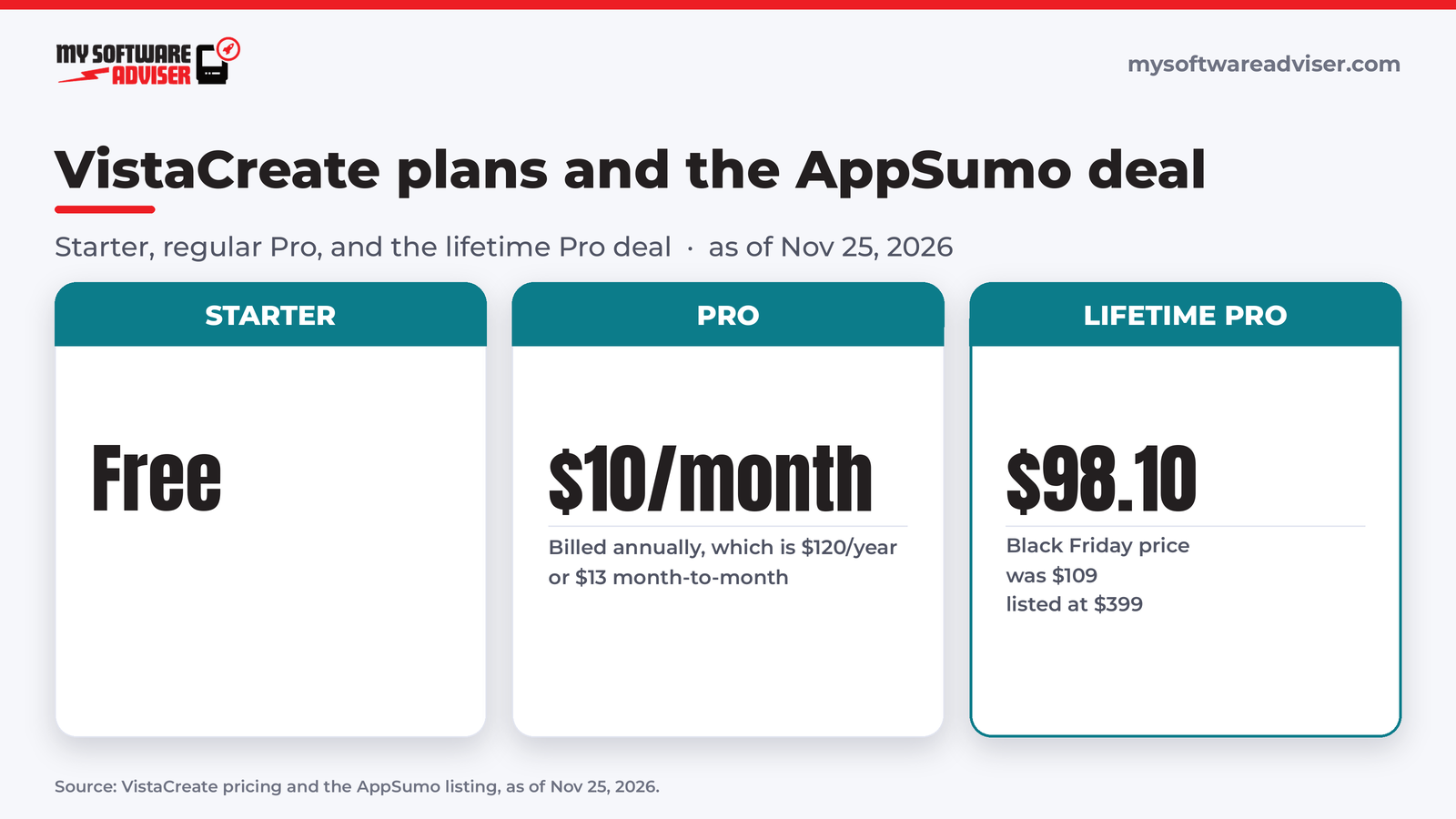
VistaCreate's regular pricing (create.vista.com/plans and the official plan-comparison help article), as of November 25, 2026: Starter is free with no time limit. Pro can be tried for 14 days (the help center says you provide payment details, and the trial turns into a paid subscription unless you cancel first). The official comparison, updated November 9, 2026, lists Pro at $10 USD per month when billed annually ($120 charged upfront for the year) or $13 USD per month when billed monthly, with up to 10 team members under one subscription.
| Regular plan | Price | Seats | Templates | Photos, videos, vectors | Brand Kits | Storage | AI tools |
|---|---|---|---|---|---|---|---|
| Starter | Free | 1 | 100K+ | 1M+ | 1 | 10 GB | Not included |
| Pro | $10/month billed annually ($120/year), or $13/month | Up to 10 | 200K+ | 170M+ | Unlimited | Unlimited | Included |
Pro also adds One-click Resizer, Sticker Maker, version history, HD downloads and VistaPrint ordering, according to the official help center. Social scheduling is listed on Starter as well as Pro.
The AppSumo lifetime deal is a one-time payment for lifetime access to VistaCreate Pro. As of November 25, 2026, the listing shows a single plan at $98.10 (was $109, listed at $399). The $98.10 figure is $109 with AppSumo's sitewide Black Friday 10% off, which the AppSumo banner describes as running until December 1, 2026 at noon US Central Time. The $399 figure is the listing's compared price, not VistaCreate's published annual Pro price of $120.
| AppSumo plan | Price shown (compared price) | Maps to | Seats | Stackable |
|---|---|---|---|---|
| Single | $98.10 ($109, listed at $399) | VistaCreate Pro, with all future Pro updates | Up to 10 (per official Pro docs) | No |
Deal terms listed on AppSumo:
- Lifetime access to VistaCreate, plus all future Pro plan updates. If the plan name changes, the deal is mapped to the new plan name with its updates.
- Available for new and existing VistaCreate users.
- You must redeem your code within 60 days of purchase.
- The deal is not stackable. There is only one plan.
- Listed as GDPR compliant.
- Refundable for 60 days.
Which plan fits? There is no tier choice on this deal. If lifetime Pro at $98.10 (or $109 if the extra 10% off has ended) is useful to you, the published prices are straightforward: it costs less than one year of regular Pro on annual billing, and about seven and a half months of Pro on monthly billing. If you only need the free editor, start with Starter. If you already pay for Pro, ask the vendor how the code will sit on your account before you buy.
Check the VistaCreate deal on AppSumo
FAQ
Is VistaCreate a Canva alternative?
AppSumo lists it as an alternative to Canva, and the product is a browser-and-mobile design editor with templates, Brand Kits, AI tools and social scheduling. That does not make it a feature-for-feature match. Check the current Pro list, especially AI limits and which social networks you can post to, against the tools you already use.
Is there a free version of VistaCreate?
Yes. Starter is free, with no time limit, one seat, 100K+ templates, 1M+ stock assets, one Brand Kit, 10 GB of storage and social scheduling. It does not include the Pro AI tools, unlimited Brand Kits, team seats, version history, One-click Resizer, Sticker Maker, HD downloads or unlimited storage. VistaCreate also offers a 14-day Pro trial on its own site.
What do I get with the AppSumo deal?
Lifetime access to VistaCreate Pro, including all future Pro plan updates. Official Pro docs list 200K+ templates, 170M+ stock assets, AI tools, unlimited Brand Kits, unlimited storage, HD downloads, version history, One-click Resizer and a team of up to 10.
Are there limits on the AI tools?
Yes, at least for image generation. Official Pro help and a vendor reply on AppSumo both say the AI Image Generator includes 100 uses per month. The same vendor reply said Design Assistant and Design Improver have no fixed usage limits, although fair-use restrictions may apply.
Can I schedule posts to Instagram or LinkedIn?
Instagram is officially supported, alongside Facebook and Pinterest, for business accounts. I could not find official documentation for LinkedIn scheduling, even though AppSumo's "Works with" tags include LinkedIn.
Can I use it on my phone?
Yes. VistaCreate has iOS and Android apps, and the vendor says projects sync with the browser editor. Team features are documented as web-only.
Can existing VistaCreate users buy the deal?
Yes. AppSumo's terms say the deal is available for new and existing users. If you already have a paid Pro subscription, confirm with the vendor how the code is applied before you change your billing.
What if it doesn't work for me?
AppSumo lists the deal as refundable for 60 days.
Verdict
VistaCreate is a straightforward Canva-style design tool with a free plan, a modest Pro subscription, and, for now, a lifetime Pro deal on AppSumo. The published price is the main attraction: $98.10 once during Black Friday (or $109 without the extra 10% off) against $120 a year for regular Pro, with future Pro updates included and a 60-day refund window.
The limits are equally clear. You get one non-stackable plan, a 100-per-month cap on AI image generation, a 10-seat team that is not real-time and is not available in the mobile app, and official social posting to Facebook, Instagram and Pinterest only. The AppSumo page still carries a few stale or loosely tagged details, so use VistaCreate's own pricing and help pages as the source of truth for what Pro includes.
As a long-time VistaCreate lifetime user, I think this is a great deal. If you already like the editor, or you were going to pay for Pro anyway, I recommend it: the deal is easy to justify on price alone, as long as you buy before the listing's December 1, 2026 end date and you test the workflow inside the refund window. If you only need occasional graphics, Starter is already free. If you need a full Canva substitute for every channel and AI feature you use today, try the 14-day Pro trial first and decide from the current product, not from an older video.
Stay up to date with our latest news

PresEngage Review: Is the AppSumo Lifetime Deal Worth It?
PresEngage review: an AI co-presenter that answers live audience questions from your slides in 100+ languages. The AppSumo lifetime deal starts at $69.